
Exposure monitoring
See whether your email address appears in a known data breach.
You’re offline. Checks need an internet connection.
TRUSTKEEPER IDENTITY WATCH
Know when your information needs attention.
Check whether your email address appears in known data breaches, understand what was exposed and take practical next steps.
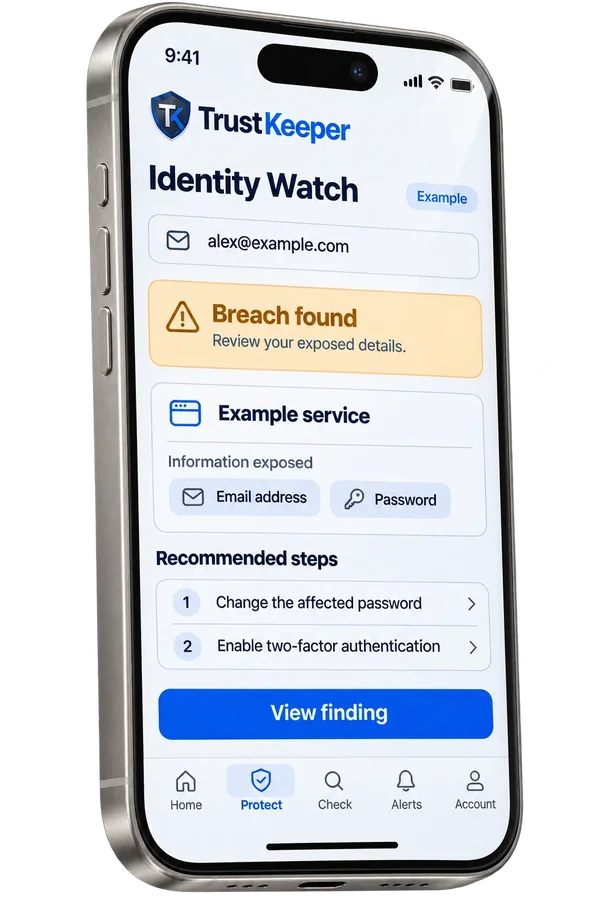
Monitoring active
Email address checkedExposure preview
YOUR DIGITAL IDENTITY
See whether your email address appears in a known data breach.
Understand the finding and why it matters.
Get context to help protect affected accounts.
FROM EXPOSURE TO ACTION
 Identity exposure preview
Use a unique password and turn on multi-factor authentication where available.
Check whether your email address appears in known data breaches.
See what was reported and what remains uncertain.
Use trusted account settings to review your security.
PRIVACY TOOLS
Manage your profile and account-security settings.
Review saved breach findings and recommended next steps. View example history
Coming soon.
Coming soon.

YOUR ACCOUNT, YOUR CHOICES
Manage your profile, security and data choices in one place.
Review available notification and privacy settings.
Use your account’s security options.
A CLEARER RECORD
Keep track of past findings and the steps you took.
See the context behind previous findings.
A finding helps you decide what to do next.
Search3 this week · 2 need attention
FAQ
Check your email address against known data breaches, review what was exposed and revisit saved findings.
No. They’re examples. Real findings appear in your TrustKeeper account.
Review the affected account using its official settings, use a unique password and turn on multi-factor authentication where available.
Check whether your email turns up in a breach, and know what to do next.